

Estimated Reading Time: 8 Minutes
Quick Answer
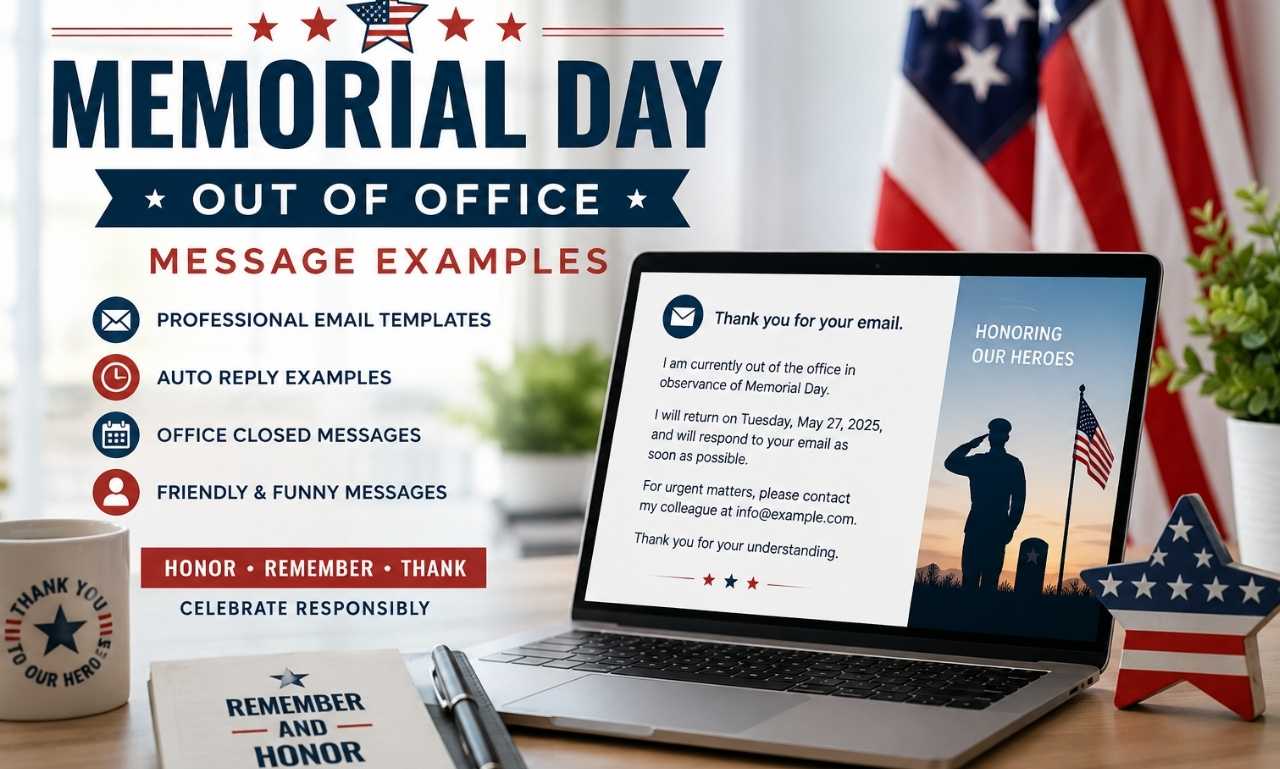
A Memorial Day out of office message is an automatic email response that lets people know you’re unavailable during the Memorial Day holiday. A well-written holiday autoresponder should include your absence dates, expected return date, an alternate contact for urgent matters, and a respectful acknowledgment of Memorial Day. Whether you’re an employee, freelancer, or business owner, a clear automatic reply helps manage expectations while maintaining professional communication.
Key Takeaways
- Include your return date so senders know when to expect a response.
- Add an alternate contact if urgent assistance is available.
- Keep your message clear, concise, and professional.
- Acknowledge Memorial Day respectfully without overdoing it.
- Review your autoresponder before leaving to ensure all details are accurate.
Message Types at a Glance
| Message Type | Best For | Tone |
| Professional | Employees & Managers | Formal |
| Client | Customers & Business Partners | Professional |
| Customer Support | Help Desk Teams | Helpful |
| Short Messages | Quick Auto Replies | Concise |
| Friendly | Coworkers & Small Businesses | Warm |
| Funny | Casual Workplaces | Lighthearted & Respectful |
| Office Closed | Companies & Organizations | Informative |
Table of Contents
- Introduction
- Professional Memorial Day Out of Office Message Examples
- Client Memorial Day Out of Office Messages
- Customer Support Auto Replies
- Short Memorial Day Out of Office Messages
- Friendly Memorial Day Messages
- Funny Memorial Day Auto Replies
- Office Closed Message Examples
- Memorial Day Email Templates
- How to Write a Great Memorial Day Out of Office Message
- Common Mistakes to Avoid
- When to Use a Memorial Day Auto Reply
- Memorial Day Email Subject Lines
- Related Holiday Out of Office Messages
- Frequently Asked Questions
- Conclusion
Introduction
Looking for the best Memorial Day out of office message examples? Whether you’re taking a long weekend, closing your business for the federal holiday, or setting up a holiday autoresponder for clients, a thoughtful automatic reply keeps everyone informed while maintaining a professional image.
A great out-of-office message does more than announce your absence. It lets people know when you’ll return, explains how urgent requests can be handled, and reassures senders that their message is important. This simple communication helps reduce confusion, improves customer experience, and prevents unnecessary follow-up emails.
Because Memorial Day honors the brave members of the U.S. Armed Forces who made the ultimate sacrifice, your message should acknowledge the holiday respectfully. While a friendly tone is perfectly acceptable, avoid treating Memorial Day like an ordinary vacation or using humor that could be viewed as insensitive.
Whether you’re an employee, manager, freelancer, customer support representative, or business owner, you’ll find ready-to-use templates below that can be copied, customized, and activated in just a few minutes.
Editor’s Note: Memorial Day is a national day of remembrance. In professional communication, a brief acknowledgment of its significance is appropriate, while overly promotional language or excessive humor is generally best avoided.
In This Guide
Inside this article, you’ll discover:
- Professional Memorial Day out-of-office messages
- Client email examples
- Customer support auto replies
- Short one-line responses
- Friendly workplace messages
- Respectful funny auto replies
- Complete email templates
- Tips for writing effective holiday autoresponders
- Common mistakes to avoid
- Frequently asked questions
Whether you need a simple automatic email response or a complete holiday autoresponder, this guide provides practical examples for almost every workplace situation.
Looking for meaningful words to honor those who served? You may also enjoy our Memorial Day Quotes collection for thoughtful messages and tributes to commemorate the holiday.
Professional Memorial Day Out of Office Message Examples
A professional holiday auto reply should clearly explain your absence, provide your expected return date, and include another contact if urgent assistance is required. These examples work well for corporate employees, managers, executives, consultants, and remote workers.
1.
Your email has been received. I am currently out of the office in observance of Memorial Day and will return on Monday, May 26. I will respond to your message as soon as possible upon my return.
2.
I’m away from the office for the Memorial Day holiday and have limited access to email. If you need immediate assistance, please contact our Customer Success Team at support@example.com.
3.
You’ve reached my inbox while I’m away observing Memorial Day. I’ll return to work on [Date] and respond promptly to your message. Thank you for your patience.
4.
This is an automatic response confirming that I’m currently away for Memorial Day. Regular business hours will resume on [Date], and I’ll reply as soon as possible.
5.
I appreciate you getting in touch. I’m currently unavailable while observing Memorial Day and look forward to assisting you when I return on [Date].
6.
Greetings! I’m currently out of the office observing Memorial Day.. If your request is urgent, please contact [Alternate Contact].
7.
Our office is observing Memorial Day today. Your message has been safely received, and I’ll respond once normal business hours resume.
8.
Greetings! I’m currently out of the office honoring Memorial Day. Thank you for your patience, and I look forward to connecting with you after the holiday.
9.
My email is receiving messages normally, but I’ll be away until [Date] for the Memorial Day holiday. I appreciate your understanding.
10.
Thank you for your message. I am away from my desk for Memorial Day and will respond as quickly as possible when I return.
11.
I’m currently observing the Memorial Day holiday and will have limited availability. If your matter requires immediate attention, please contact [Name] at [Email].
12.
You’ve successfully reached my inbox while I’m out of the office.. I’ll return to the office on [Date] and will respond to your inquiry as soon as possible. Wishing you a safe and meaningful Memorial Day.
Professional Tip: If you’ll have occasional email access, avoid promising immediate replies. Instead, say you’ll respond “as soon as possible” to set realistic expectations.
While you’re updating your workplace communication, you may also enjoy our collection of work anniversary messages to celebrate colleagues and employees throughout the year.
Memorial Day Out of Office Messages for Clients
Client communication should reassure customers that their inquiry is important while explaining any temporary delay. A respectful and informative office closure notice helps maintain trust and professionalism.
1.
Thank you for contacting us. Our office is closed in observance of Memorial Day and will reopen on [Date].
2.
We appreciate your message. Our team is currently away for the Memorial Day holiday and will respond promptly when normal business hours resume.
3.
Your inquiry has been received successfully. We’ll review your request and respond after returning from the Memorial Day holiday.
4.
Thank you for your continued partnership. Our office is observing Memorial Day today, and we’ll reply as soon as we’re back.
5.
Our business is temporarily closed for Memorial Day. If your request is urgent, please contact [Emergency Contact].
6.
We’re taking time to honor Memorial Day and those who made the ultimate sacrifice. Thank you for your patience while our office is closed.
7.
You’ve reached us during our Memorial Day office closure. We’ll respond to your email on the next business day.
8.
Our team is unavailable while observing Memorial Day. Thank you for your understanding, and we look forward to assisting you soon.
9.
Thank you for reaching out. Your message is important to us and will be answered as quickly as possible after the holiday.
10.
We’re currently away for Memorial Day. Regular business operations resume on [Date], and we’ll be happy to assist you then.
11.
Our office is closed today in recognition of Memorial Day. Thank you for your patience and continued support.
12.
Thank you for contacting our team. We appreciate your business and look forward to serving you after Memorial Day.
Best Practice: Every client auto-reply should include your expected response time or reopening date. This helps manage expectations and reduces unnecessary follow-up emails.
Memorial Day Customer Support Auto-Reply Examples
Support teams have unique responsibilities. A clear automatic email response should confirm that the request has been received, explain any delays, and direct customers to self-service resources whenever possible.
1.
Thank you for contacting our support team. We’re observing Memorial Day today, so response times may be slightly longer than usual.
2.
We’ve successfully received your support request. Our specialists will respond as soon as normal business operations resume on [Date].
3.
Thanks for reaching out! Our support team is currently away for Memorial Day but will answer your inquiry as quickly as possible.
4.
This is an automated confirmation that your request has been received. Because of the Memorial Day holiday, responses may be delayed until the next business day.
5.
If you need immediate assistance, please visit our Help Center or contact our emergency support line at [Phone Number].
6.
Our customer support team is currently unavailable due to the Memorial Day holiday. We appreciate your patience and understanding.
7.
Your message is safely in our queue and will be answered in the order it was received.
8.
Thank you for contacting us. While our office is closed for Memorial Day, we’re committed to resolving your issue as soon as we return.
9.
We’ve received your request and appreciate your patience while our team observes the Memorial Day holiday.
10.
Our support specialists will return on [Date]. Until then, our online Help Center remains available 24/7.
Best Practice: Include links to your FAQ page, Help Center, or knowledge base whenever possible. Customers often find answers themselves while waiting for a response.
Short Memorial Day Out of Office Messages
Sometimes a simple vacation responder is all you need. These concise messages are perfect for professionals who prefer a brief but informative automatic reply.
- Thank you for your email. I’m out of the office for Memorial Day and will reply on [Date].
- I’m currently away observing Memorial Day and will respond as soon as I return.
- Our office is closed for Memorial Day. We’ll reopen on [Date].
- Thank you for reaching out. I’ll reply after the holiday weekend.
- I’m away today for Memorial Day with limited email access.
- Your email has been received. I’ll respond once I return.
- I’m currently unavailable but look forward to assisting you after Memorial Day.
- Our team is observing the holiday today. Thank you for your patience.
- I’ll be back in the office on [Date] and will respond promptly.
- This is an automatic reply confirming that I’m currently away for Memorial Day.
- Thanks for your message. I’ll be in touch after the holiday.
- Our office is temporarily closed in observance of Memorial Day.
- I’m taking a short Memorial Day break and will return soon.
- Responses may be delayed due to the Memorial Day holiday
Friendly Memorial Day Out of Office Messages
Not every workplace requires a highly formal autoresponder. If you regularly communicate with teammates, long-term clients, or customers in a conversational tone, a friendly Memorial Day out-of-office message can feel more natural while remaining professional. The key is to be warm, helpful, and respectful of the holiday.
1.
Thanks for your email! I’m taking a short break for the Memorial Day holiday and will be back on [Date]. I’ll respond as soon as I return. Have a safe and meaningful weekend!
2.
I’m currently away observing Memorial Day and spending time with family. Your message is important to me, and I’ll get back to you shortly after I return.
3.
Our office is taking a short Memorial Day break. Thanks for your patience—we look forward to helping you again on [Date].
4.
You’ve reached me while I’m away for Memorial Day. Your email is safely waiting in my inbox, and I’ll respond as soon as I’m back.
5.
I’m taking a little time to recharge this Memorial Day weekend. I’ll return on [Date] and reply to your email as quickly as possible.
6.
Thanks for stopping by my inbox! I’m currently away for Memorial Day but look forward to connecting with you when I return.
7.
Our team is away for the holiday while honoring those who served our country. We’ll respond as soon as business resumes.
8.
I’m enjoying a brief holiday break and will be back in the office on [Date]. Thank you for your understanding.
9.
Thank you for reaching out! I’ll be away for Memorial Day and will respond to all emails once I’m back at my desk.
10.
I’m currently offline for the Memorial Day holiday. Thanks for your patience, and I hope you have a wonderful weekend.
11.
Your message has been received. I’m away today for Memorial Day and will reply as soon as regular business hours resume.
12.
I’m taking a well-deserved Memorial Day break. Thank you for your understanding, and I’ll be in touch soon.
13.
Thanks for your email! I’m away today but will respond after the Memorial Day holiday.
14.
I’m out of the office for Memorial Day with limited access to email. I appreciate your patience while I’m away.
15.
I’m currently observing Memorial Day and will return to work on [Date]. I look forward to speaking with you then.
Best Practice: Even in a friendly message, include your return date whenever possible. It helps people know exactly when they’ll hear back from you.
Funny Memorial Day Out of Office Message Examples
A little personality can make your holiday autoresponder memorable. However, Memorial Day is a solemn day of remembrance, so keep the humor focused on your temporary absence—not on the holiday itself.
1.
My inbox is taking a long weekend too! I’ll catch up with your email after Memorial Day.
2.
I’m temporarily trading emails for sunshine. I’ll be back on [Date] ready to reply.
3.
My keyboard is officially off duty for Memorial Day. Normal typing services resume soon.
4.
Out of office? Absolutely. Ignoring your email? Never. I’ll respond once I’m back.
5.
You’ve successfully reached my vacation responder! Your message is safe, and I’ll reply after the holiday.
6.
My coffee mug and laptop are both enjoying a Memorial Day break. We’ll be back together on [Date].
7.
Emails are patiently waiting in line, and yours has a great spot. I’ll get back to you soon.
8.
I’m away from my desk, but don’t worry—your email hasn’t wandered off. I’ll reply after Memorial Day.
9.
My inbox promised to behave while I’m away. I’ll check in on [Date].
10.
Today’s schedule includes zero meetings and even fewer emails. I’ll be back after the holiday weekend.
11.
I’m giving my “Reply” button a short vacation. It will be fully operational on [Date].
12.
My auto-reply is working harder than I am today. I’ll return soon!
13.
I’m currently collecting memories instead of unread emails. Thanks for your patience.
14.
The office chair is empty, but your email is in good hands. I’ll respond as soon as I’m back.
15.
I’m taking a holiday break, but your email hasn’t been forgotten. Expect a reply after Memorial Day.
Editor’s Tip: Humor should never make light of Memorial Day itself. Keep jokes centered on your inbox, your absence, or your workload while maintaining a respectful tone.
Memorial Day Office Closed Message Examples
Businesses often need an office closure notice to inform customers, vendors, and partners about holiday hours. These examples are suitable for websites, email autoresponders, newsletters, and customer notifications.
1.
Our office will be closed in observance of Memorial Day. We will reopen on [Date] and look forward to serving you then.
2.
In honor of Memorial Day, our business will be closed for the holiday. Thank you for your understanding and continued support.
3.
Our team is taking time to observe Memorial Day. Regular business hours will resume on [Date].
4.
Please note that our office is closed today for Memorial Day. We appreciate your patience and look forward to assisting you soon.
5.
Our office will reopen after the Memorial Day holiday. All emails and inquiries will be answered as quickly as possible.
6.
To honor Memorial Day, our business will be temporarily closed. We’ll return with normal business hours on [Date].
7.
Thank you for your patience while our office observes the Memorial Day federal holiday. We appreciate your understanding.
8.
Our office is closed today, but your emails and inquiries remain important to us. We’ll respond once business resumes.
9.
In observance of Memorial Day, our customer service team is unavailable today. We’ll reply as quickly as possible when we return.
10.
We wish you a safe and meaningful Memorial Day. Our office will reopen on [Date].
11.
Our business is observing Memorial Day and will resume regular operations on the next business day.
12.
Our office is closed for the holiday as we honor the service and sacrifice of our nation’s fallen heroes.
13.
Holiday business hours are now in effect. We appreciate your patience and will respond once our office reopens.
14.
Thank you for contacting us. Our office is temporarily closed for Memorial Day, and we’ll be happy to assist you when we return.
15.
Our team wishes you a peaceful Memorial Day. Thank you for your understanding while our office is closed.
Professional Tip: If your business has adjusted holiday business hours, include them in your automatic response to reduce customer confusion.
Planning to share holiday wishes as well? Explore our Happy Memorial Day Messages collection for heartfelt greetings you can send to friends, family, coworkers, and clients.
Memorial Day Email Templates
If you’d rather use a complete automatic email response than a short message, these ready-to-use templates are easy to customize for different roles and industries.
1. Professional Office Template
Hello,
Thanks for getting in touch! I’m currently unavailable for Memorial Day and will return on [Date].
During this time, I will have limited access to email. If your request is urgent, please contact [Name] at [Email].
Thank you for your understanding, and I look forward to assisting you upon my return.
Best regards,
[Your Name]
2. Small Business Template
Hello,
Thank you for contacting us.
Our office is closed for the Memorial Day holiday as we take time to honor the brave men and women who gave their lives in military service.
We will reopen on [Date] and respond to all inquiries as soon as possible.
Thank you for your patience, and we wish you a safe Memorial Day.
3. Freelancer Template
Hi,
Thanks for reaching out!
I’m currently away for the Memorial Day holiday and will return on [Date].
Your message is important to me, and I’ll respond as quickly as possible when I’m back at my desk.
Thank you for your understanding.
4. Customer Support Template
Hello,
We’ve received your support request.
Our team is currently observing the Memorial Day holiday, so response times may be slightly longer than usual. Every inquiry will be answered in the order it was received.
Thank you for your patience.
5. HR Department Template
Hello,
Thank you for your message.
Our Human Resources team is currently unavailable due to the Memorial Day holiday. We’ll return on [Date] and respond to your request as soon as possible.
Thank you for your understanding.
6. Sales Team Template
Hello,
Thank you for your interest in our products and services.
Our sales team is currently away for Memorial Day and will respond to your inquiry on [Date].
We appreciate your patience and look forward to speaking with you soon.
7. Remote Employee Template
Hi,
I’m working offline during the Memorial Day holiday and have limited access to email.
If your request is time-sensitive, please contact [Colleague’s Name]. Otherwise, I’ll respond promptly after returning on [Date].
Choosing the Right Template
| Template | Best For | Tone |
| Professional Office | Employees & Managers | Formal |
| Small Business | Local Businesses | Warm |
| Freelancer | Independent Professionals | Friendly |
| Customer Support | Help Desk Teams | Helpful |
| HR Department | Internal Employee Communication | Professional |
| Sales Team | Customer Inquiries | Professional |
| Remote Employee | Hybrid & Remote Workers | Conversational |
Best Practice: Before activating your email vacation responder, test it by sending yourself a message. This helps confirm that your return date, contact information, and formatting are correct.
How to Write a Great Memorial Day Out of Office Message
A well-crafted Memorial Day out of office message keeps communication professional while respecting the purpose of the holiday. Whether you’re creating a holiday autoresponder, an automatic email response, or an office closure notice, including the right information helps avoid confusion and sets clear expectations.
1. Clearly State That You’re Away
Begin your message by letting people know you’re currently out of the office because of the Memorial Day holiday. A clear opening immediately answers the sender’s main question and avoids unnecessary follow-up emails.
Example:
Greetings! I’m currently out of the office observing Memorial Day.
2. Mention Your Return Date
Always tell people exactly when you’ll return. A specific return date helps clients, coworkers, and customers know when they can expect a reply.
Instead of saying:
“I’ll respond soon.”
Say:
“I’ll return on Tuesday, May 27, and will respond as soon as possible.”
3. Include an Alternate Contact
If someone else can assist while you’re away, include their name and email address. This is especially important for customer service, sales, HR, and management roles where urgent requests may arise.
4. Keep It Short and Professional
An out-of-office message doesn’t need to be lengthy. Most effective autoresponders are between 50 and 100 words. Focus on the essential information and avoid unnecessary details about your personal plans.
5. Respect the Meaning of Memorial Day
Memorial Day is a day to honor the men and women who gave their lives in military service. A brief acknowledgment of the holiday is appropriate, while overly casual jokes or promotional language should be avoided.
6. Thank the Sender
A simple thank-you shows courtesy and leaves a positive impression.
For example:
“Thank you for your patience and understanding.”
7. Test Your Auto-Reply Before You Leave
Before activating your holiday auto reply, send yourself a test email. Make sure your return date, contact information, links, and formatting display correctly on both desktop and mobile devices.
Editor’s Tip: If your company has a communication or brand style guide, keep your out-of-office message consistent with your organization’s tone and voice.
Editor’s Tip: Before leaving for the holiday, send yourself a test email to confirm your autoresponder displays correctly and includes the right return date, alternate contact, and business hours.
Common Mistakes to Avoid
Even a short automatic response can create confusion if it’s missing important details. Avoid these common mistakes to provide a better experience for everyone who contacts you.
Forgetting Your Return Date
Without a return date, people won’t know when to expect a response. This often leads to repeated emails and unnecessary follow-ups.
Leaving Out an Alternate Contact
If urgent matters can’t wait, provide another person who can help. This keeps important work moving while you’re away.
Writing an Overly Long Message
People generally scan auto-replies quickly. Keep your message concise and focused on the essential details.
Using Excessive Humor
A lighthearted tone is fine in casual workplaces, but Memorial Day is a solemn occasion. Humor should focus on your temporary absence—not the holiday itself.
Sounding Like a Marketing Email
Your autoresponder isn’t a promotional campaign. Avoid sales language, discounts, or product advertisements inside your holiday reply.
Promising Immediate Responses
If you’re away from work, don’t promise to reply immediately. Instead, use phrases such as:
- “I’ll respond as soon as possible.”
- “I’ll reply when I return.”
- “Responses may take longer than usual.”
Forgetting to Turn Off Your Auto-Reply
Once you’re back, remember to disable your email vacation responder. Leaving it active after returning can confuse clients and coworkers.
Best Practice: Review your auto-reply before every holiday. Updating dates and contact information takes only a minute but prevents misunderstandings.
When to Use a Memorial Day Out of Office Message
Many people think out-of-office replies are only for vacations, but they’re equally valuable during federal holidays like Memorial Day. A thoughtful holiday business hours notice helps keep communication clear in many situations.
Use a Memorial Day auto-reply when:
- You’re taking the Memorial Day weekend off.
- Your office or business is closed for the federal holiday.
- You’re working remotely with limited email access.
- Your customer support team is operating on reduced hours.
- You’re attending family events and won’t be checking email regularly.
- You’re traveling during the holiday weekend.
- Your organization has adjusted holiday business hours.
- You’re a freelancer or consultant unavailable for client work.
No matter your profession, a clear business closure notice helps people know what to expect and reinforces a professional image.
Best Practice: If your business has special Memorial Day hours, mention them in your automatic reply or include a link to your holiday schedule. This helps reduce customer questions and improves the overall experience.
Memorial Day Email Subject Line Ideas
A clear subject line helps recipients immediately understand that your office is unavailable during the holiday.
- Out of Office – Memorial Day
- Memorial Day Holiday Auto Reply
- Office Closed for Memorial Day
- Memorial Day Business Hours Update
- Away for the Memorial Day Weekend
- Holiday Office Closure Notice
- Automatic Reply – Memorial Day
- Memorial Day Office Schedule
- I appreciate your message and will respond after Memorial Day
- We’ll Respond After Memorial Day
- Holiday Auto Response
- Memorial Day Customer Notice
- Office Closed Until Tuesday
- Memorial Day Vacation Responder
- Temporary Office Closure
- Memorial Day Holiday Schedule
- Holiday Business Hours
- Memorial Day Email Auto Reply
- Away from the Office
- Next Business Day Response
Related Holiday Out of Office Messages
Creating holiday autoresponders in advance saves time throughout the year and ensures consistent communication.
- Independence Day: Notify customers about adjusted business hours during the Fourth of July holiday.
- Labor Day: Share your office closure schedule while reassuring clients that you’ll respond after the holiday.
- Thanksgiving: Let customers know when your office will reopen and provide an alternate contact if necessary.
- Christmas: Set expectations for holiday closures and year-end response times.
- New Year’s Day: Inform clients about holiday hours and your first business day of the new year.
Having ready-made templates for major holidays makes future communication much easier.
Frequently Asked Questions
What is a Memorial Day out-of-office message?
A Memorial Day out-of-office message is an automatic email response that informs people you’re unavailable during the Memorial Day holiday and tells them when you’ll return.
What should I include in my auto-reply?
Include your absence dates, expected return date, an alternate contact for urgent matters if needed, and a brief thank-you for the sender’s patience.
Should I mention Memorial Day in my message?
Yes. A respectful acknowledgment explains your absence and provides context for any delay in responding.
Can I make my Memorial Day auto-reply funny?
Yes, but keep the humor centered on your temporary absence rather than the holiday itself.
How long should an out-of-office message be?
Most effective autoresponders are between 50 and 100 words, providing essential information without unnecessary detail.
Should businesses close on Memorial Day?
Many businesses choose to close or operate with reduced hours on Memorial Day. If your schedule changes, an automatic reply helps manage customer expectations.
Is an alternate contact always necessary?
Not always, but it’s recommended if your role involves customer support, sales, HR, or time-sensitive communication.
Should I use an out-of-office message if I’m only away for one day?
Yes. Even a one-day autoresponder lets people know you’re unavailable and helps set clear expectations.
Can I customize my Memorial Day out-of-office message?
Absolutely. Adjust the tone based on your audience, whether you’re writing to coworkers, customers, or business partners.
What’s the best tone for a Memorial Day auto-reply?
Keep your message professional, courteous, and respectful. A warm tone is welcome, but avoid language that minimizes the significance of Memorial Day.
Conclusion
A thoughtful Memorial Day out of office message keeps your communication professional while showing respect for the holiday. Choose a template that matches your role, personalize it with your return date and contact information, and activate your autoresponder before the holiday begins. A clear, well-written message helps set expectations and leaves a positive impression on everyone who contacts you.
If you’re planning messages for other special occasions, don’t miss our collection of birthday wishes and messages filled with thoughtful greetings for friends, family, coworkers, and loved ones.